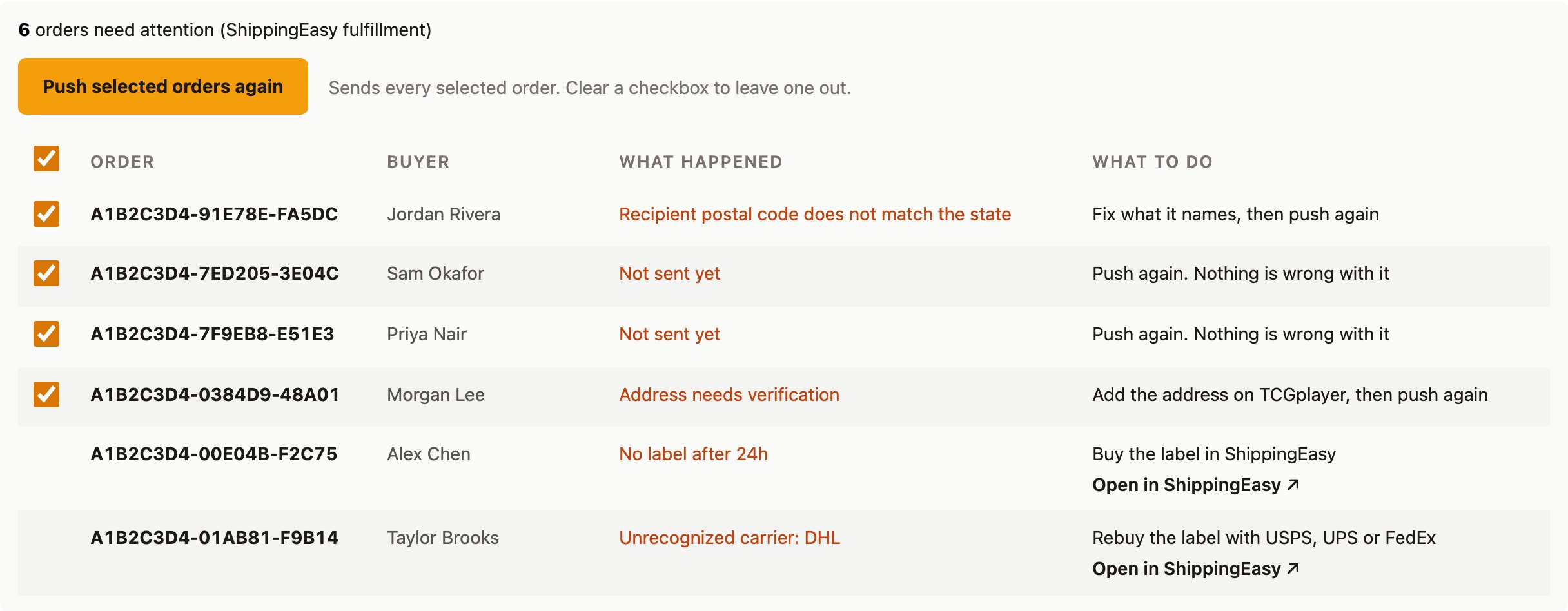
| ShippingEasy’s own error text | ShippingEasy turned down the order. | Fix what ShippingEasy flagged, then push the order again. |
| Not sent yet | The push stopped before it reached this order. | Push the order again. |
| Address needs verification | The order was pushed before TCGplayer finished syncing its shipping address. | Wait for the address to sync in, then push the order again. |
| Unrecognized carrier | The label in ShippingEasy uses a carrier TCGplayer’s tracking import doesn’t accept. Only USPS, FedEx, and UPS go through. | Rebuy or reassign the label under one of those three carriers in ShippingEasy, or enter the tracking on TCGplayer yourself. |
| TCGplayer rejected this tracking import | TCGplayer turned down this order’s tracking number. The row shows TCGplayer’s own error text. | Fix what TCGplayer flagged, then upload the tracking yourself with Download TCGplayer tracking file (Orders tab or Visual Pull page). |
| Label was cancelled | The label for this order was voided in ShippingEasy, for a reason other than a refund. | Buy a new label in ShippingEasy. Hoard picks up the new tracking on its next check. |
| Drop-shipped. Check the tracking yourself | ShippingEasy shows the order fulfilled by a drop-ship vendor instead of a printed label, so Hoard has no label to pull tracking from. | Check tracking with your vendor or in ShippingEasy, and enter it on TCGplayer yourself if it isn’t there. |
| Refunded after the label was bought. Void the label in ShippingEasy | The order became a full refund after you’d already bought its label, so the postage is already spent. | Void the label yourself in ShippingEasy. Hoard never voids one on its own. |
| No label after 24h | The order pushed to ShippingEasy successfully, but nobody’s bought a label for it in the last day. | Buy the label in ShippingEasy. |
| Not imported after 24h | Hoard captured a tracking number and carrier over a day ago, but it hasn’t reached TCGplayer yet. | If Auto-ship on TCGplayer is off, upload the tracking file yourself; if it’s on, check the order on TCGplayer directly. |