What gets synced
Every sync captures your complete seller inventory:- Card name, set, condition, printing (foil/non-foil)
- Your current listed price
- TCG Market Price and TCG Low Price
- Quantity in stock
- Card catalog identifiers (for matching images and market data)
How syncing works
Sync schedule
Configure in Settings > Sync:
Your plan sets the fastest cadence you can pick: Free and Gold once a week, Platinum once a day, Diamond and Vault every 4 hours. Slower cadences are always available. The dropdown hides any option faster than your plan allows.
You can also control when those syncs are allowed to fire:
- Preferred Sync Hour pins the cadence to a wall-clock hour in your timezone. For example, a 4-hour cadence pinned to 3 AM runs at 3 AM, 7 AM, 11 AM, 3 PM, 7 PM, and 11 PM local time.
- Quiet Window prevents scheduled syncs during a window like 6 PM to 10 PM. If a scheduled slot lands inside the window, Hoard waits until the window ends instead of running in the middle of your busiest buying hours.
- Days of Week limits syncs to specific days. Leave every day checked for normal daily operation.
Multi-product-line sync
If you sell across multiple product lines, Hoard handles each one separately. Go to Settings > Sync and use the Games & product types section to choose which games appear on your dashboard and which ones Hoard is allowed to reprice. Inventory-detected games are pinned first, and less common TCGplayer games are available through search.Cooldown after failures
When a sync fails on a critical step (login, export, or upload), Hoard pauses before retrying. This keeps it from hitting TCGplayer over and over while something is down. The cooldown clears on its own once things are working again.Manual sync
Click the Agent pill in the Dashboard header, then Sync Now in the popover, to trigger an immediate sync. On mobile, Sync Now is in the hamburger menu. Hoard picks it up within 30 seconds. In the desktop popover, Sync Now appears only after your agent has checked in at least once. Until then, the popover shows sync status and a Download the agent link instead. Install and start the agent first. On the free plan, manual sync is rate-limited to roughly once every 15 minutes. The clock runs from your last successful sync of either kind, so a scheduled sync starts it too, not just a Sync Now press. Paid and trial accounts are not rate-limited, with one exception: accounts on credit-metered syncing see a countdown between syncs whose length depends on their plan, and can spend a Spot Check credit to sync during it.
Sync Now, wherever you click it (dashboard, mobile, or the desktop app), only ever queues a sync — it still needs a running desktop agent to pick the request up and actually talk to TCGplayer. If no agent is connected, the request just waits until one is. See Preview Prices for how this differs from re-running just your pricing formula.
Sync history
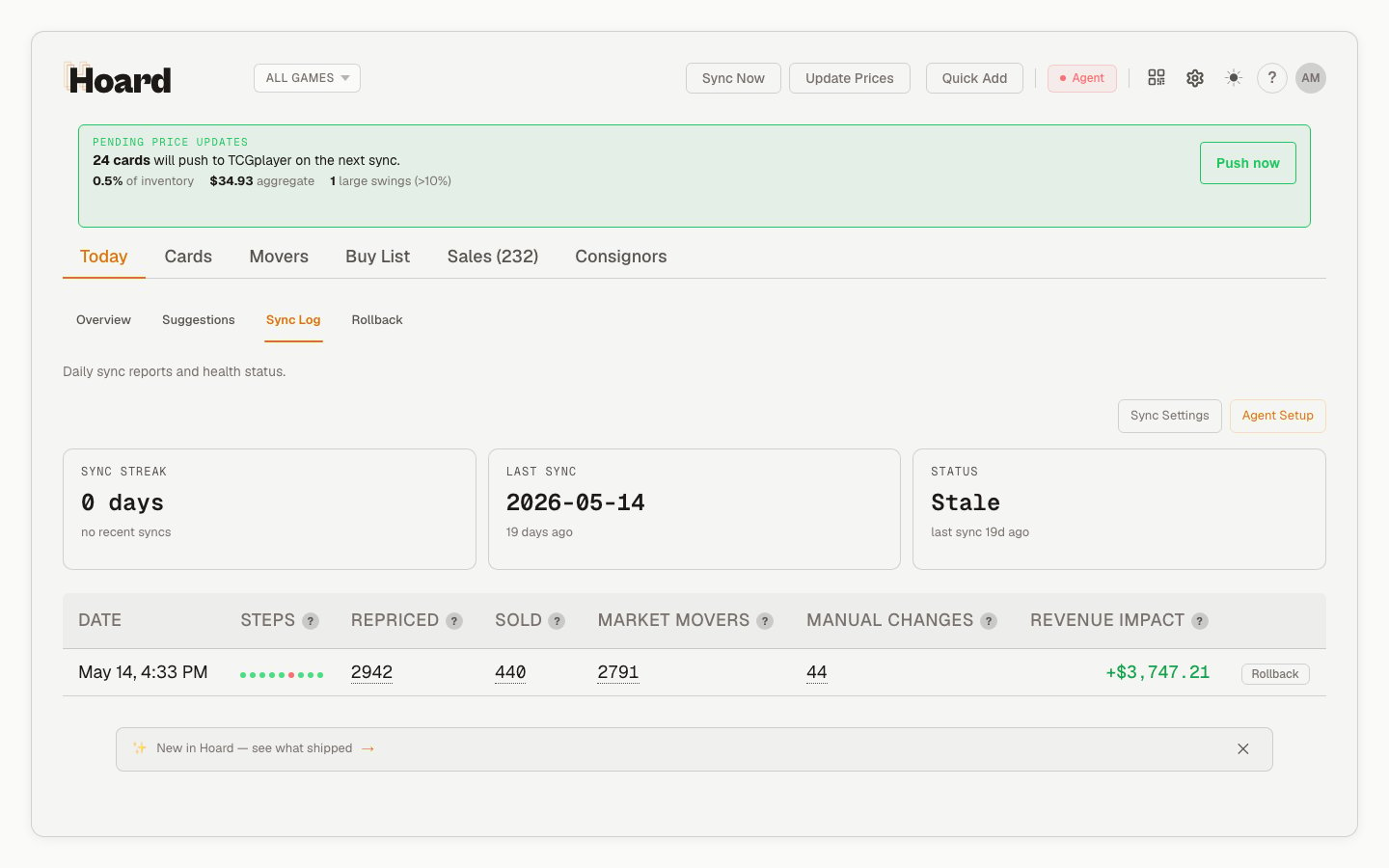
The Dashboard’s Sync Log tab shows every sync with:- Date and time
- Cards repriced
- Cards sold since last sync
- Market movers detected
- Listed value change (the change in listed value of the inventory you hold, not realized sales)