

Filtering
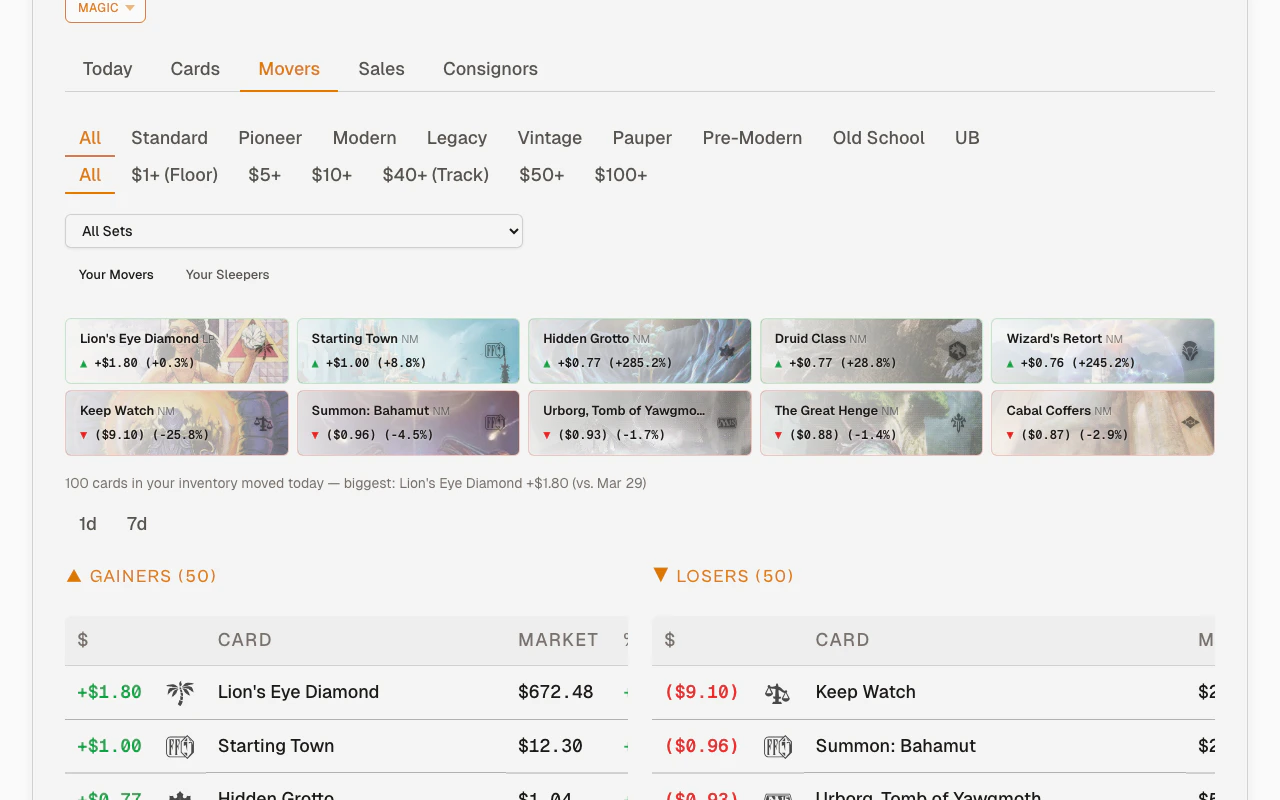
A shared filter bar sits above both the Movers and Sleepers subtabs. Your filter selections carry over when you switch between them.
- Magic shows format buttons (Standard, Pioneer, Modern, etc.) for single-select filtering
- Pokemon, One Piece, Yu-Gi-Oh show rarity badge buttons for multi-select filtering (pick multiple rarities like SEC + SR)
- “All” games hides the filter row
Top movers strip
The card strip at the top shows your biggest movers as art thumbnails. It updates when you change filters.
Gainers and losers
Movers splits Gainers and Losers into separate subtabs. Each direction gets the full table width, so card names, set symbols, market price, percent change, and trend lines stay easier to scan on desktop and mobile. If your filters return no matching movers, use Clear filters at the bottom of the empty state to reset the tab.Market depth badges
Mover rows carry a badge on the right side of the card column when the card’s market deserves a second look:BOUGHT OUT · 2H AGO— buyers just cleared the listings for this card and the price is moving right now. The badge carries its own timestamp because it describes the market at this moment, not the time window you’re viewing.2 LISTED— only that many copies are listed in your card’s condition, so the lowest listing price is a weak signal.
Card detail panel
Click any card name in the movers or sleepers table (or any card in the spike strip) to open the detail slide-out. It shows the full card identity above one History / Comps / My Copies / QR navigation row. History holds pricing and sales; My Copies holds ownership and lists.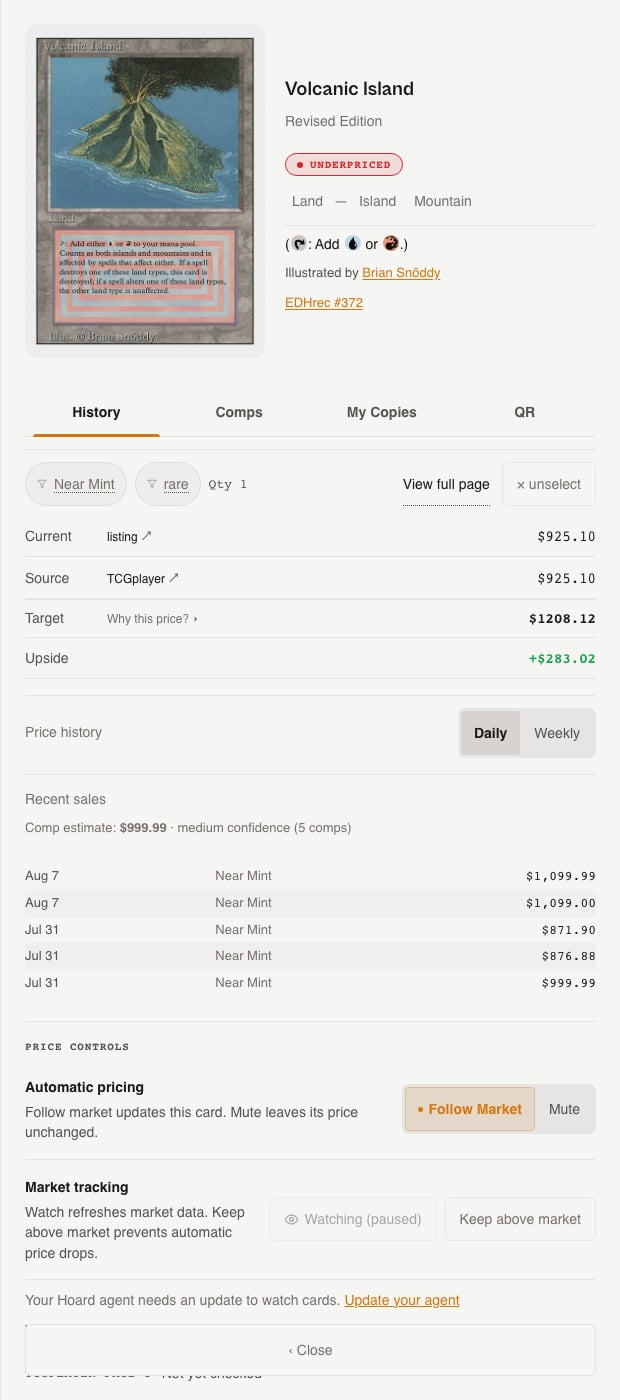
Sleepers
The Sleepers subtab shows cards with sustained price movement (not one-day spikes) over the past 30 days. It uses the same shared filter bar as movers.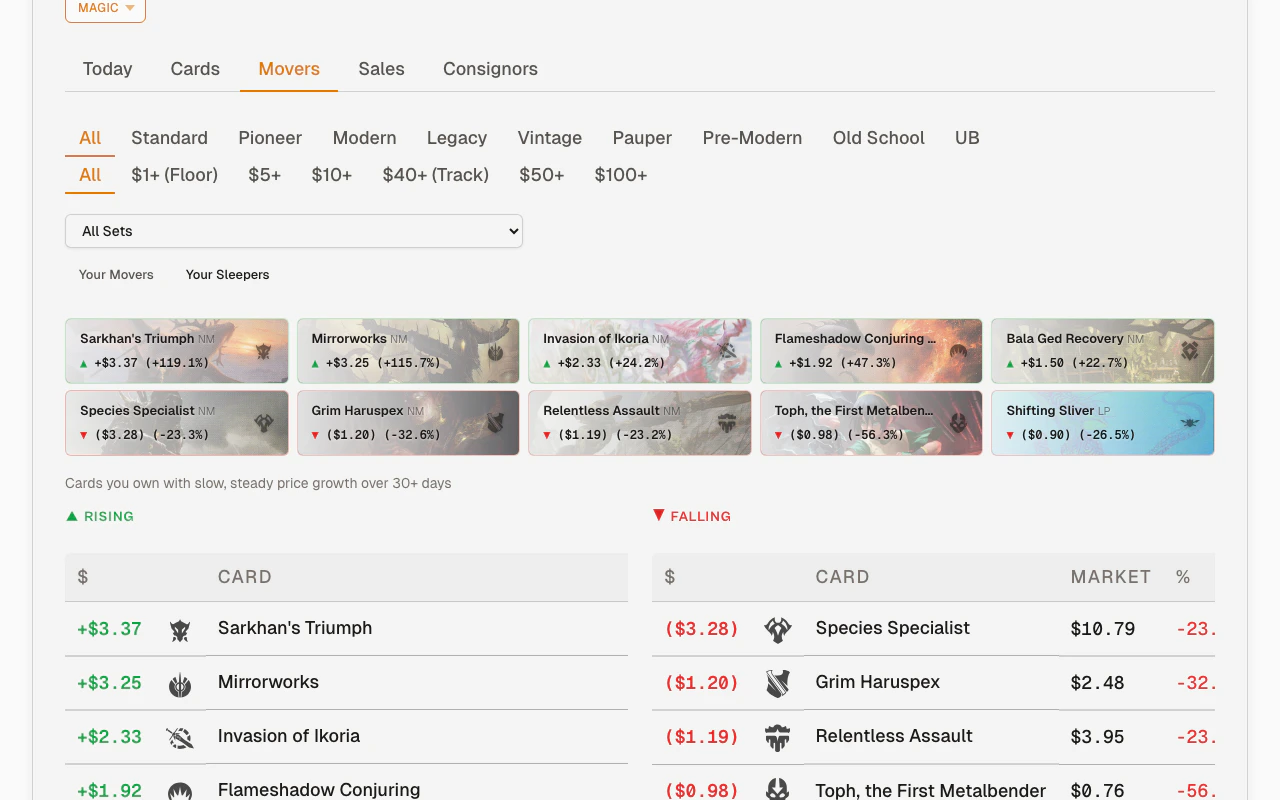
Why movers matter
Price movements tell you:- Cards spiking — your current price is now below market. The next sync reprices it automatically.
- Cards dropping — if you have multiple copies, you might want to sell before it drops further.
- Slow movers — rising or falling sleepers can show inventory that deserves a closer look even before it becomes a one-day spike.
- Market trends — multiple cards from the same set moving can signal a format rotation, ban list update, or new product release.
Movers vs. repricing
A card can be a mover (market price changed) without being repriced (if your price was already above the new target).