

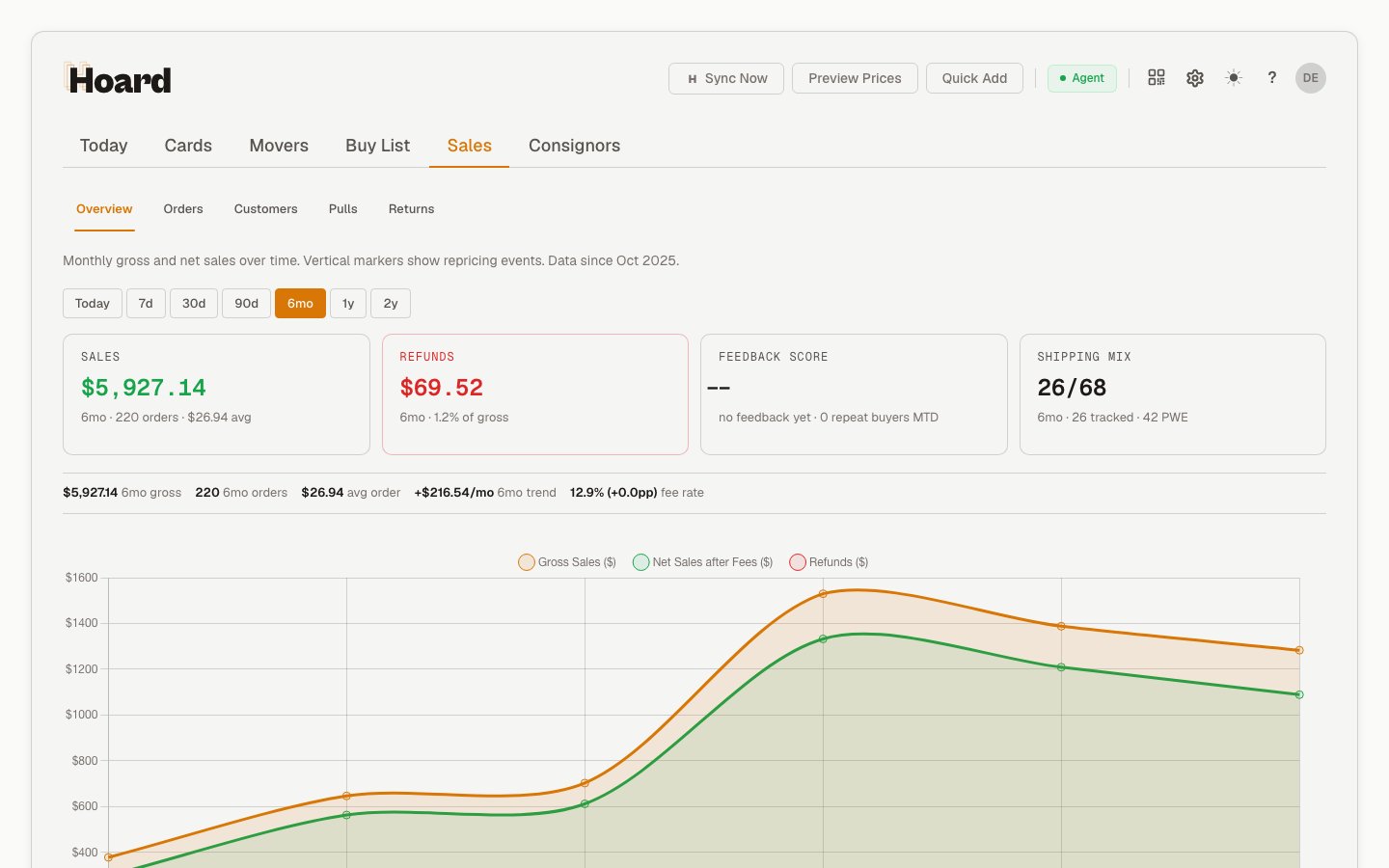
Overview
A row of period pills sits above the cards — Today, 7d, 30d, 90d, 6mo, 1y, 2y. You see the windows your plan’s history covers: 90 days on free and Gold, 1 year on Platinum, 2 years on Diamond and Vault. 2y is the longest window offered, so Vault’s unlimited history shows the same pills as Diamond. During an active trial every window is available. Picking a window scopes the cards to it; Today shows same-day figures.
Below the cards, a detail bar carries the longer-range metrics for the window: gross, orders, average order value, trend, and fee rate. The chart and monthly table show gross sales, net sales after fees, refunds, and order history over time.
The count of orders still waiting to be packed shows in the Sales (N) tab label and on the Orders subtab; an active pull session’s order count lives on the Pulls subtab.
All figures use your account timezone.
Subtabs
- Overview shows the period-scoped sales summary plus the historical sales chart
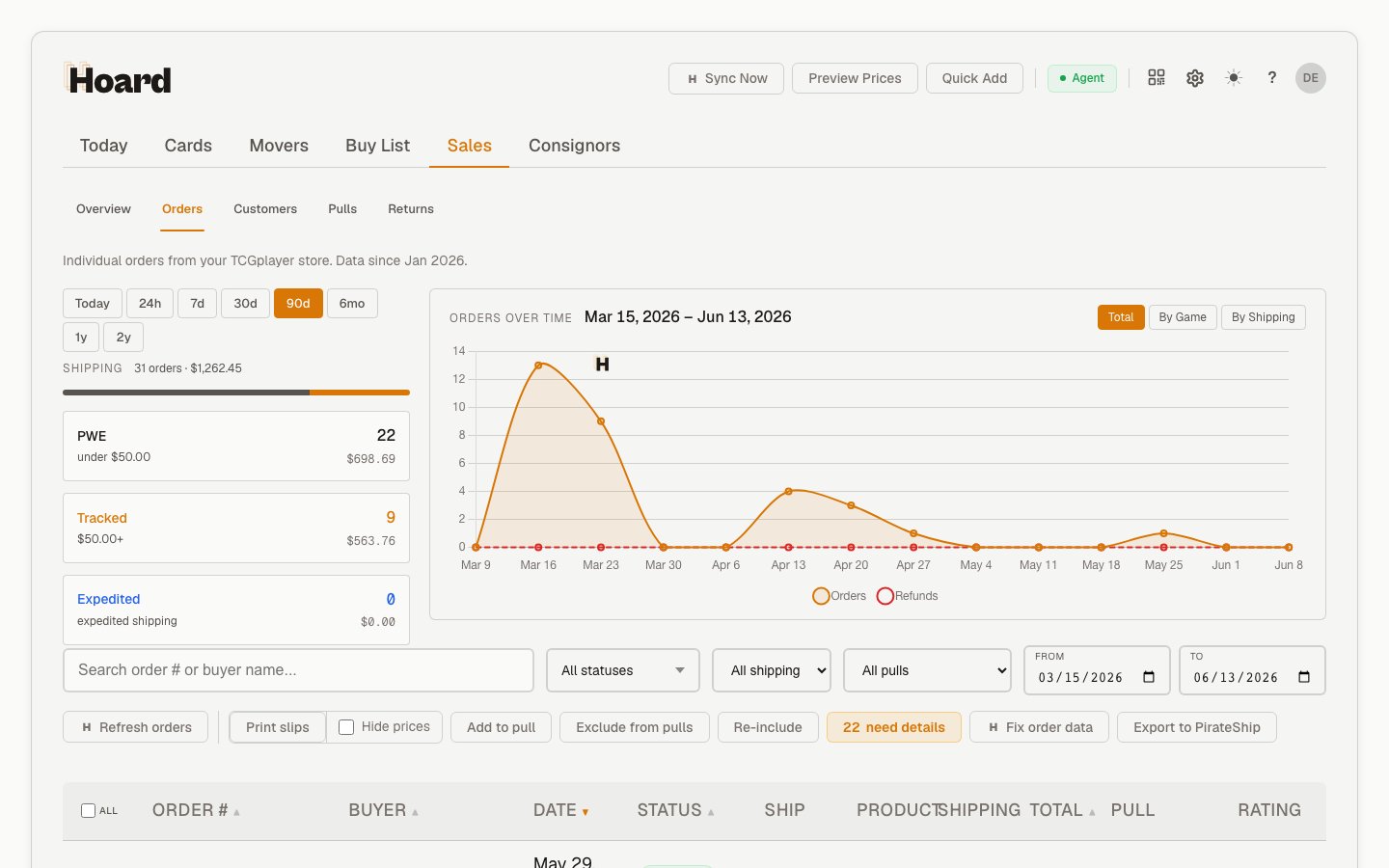
- Orders lists imported TCGplayer orders, with a shipping breakdown and an orders-over-time chart side by side
- Customers shows repeat buyers, customer lifetime value, notes, and order history
- Pulls starts and manages Visual Pull sessions for open orders. Fulfillment in the sidebar, and in the mobile More menu, opens the same subtab in one tap and shows the number of orders ready to ship
- Returns shows refund orders, repeat refunders, and a restock pull sheet
Orders workspace
The Orders subtab is the manager view for TCGplayer orders. It includes:- Search by order number or buyer
- Status, shipping, date, and Pull session filters
- A shipping mix widget with Today, 24h, 7d, 30d, and 90d shortcuts
- Pull links for orders that belong to a Visual Pull session
- An Unassign action when an order needs to be removed from a pull and made eligible for a future session
Customers workspace
The Customers subtab is your buyer intelligence dashboard. The stat row across the top shows:
Below that, the customer list shows tier, lifetime value, last order date, notes, and a slide-out with full order history per buyer. Use the All / Repeat / VIP filters to narrow the list.
The Customers workspace requires a paid plan or an active trial. Without one, the whole subtab is unavailable, including the stat row above. The Overview and Returns subtabs are unaffected.
How far back the date range reaches depends on your plan: 90 days on Gold, 1 year on Platinum, 2 years on Diamond and Vault. During an active trial every window is available.
Pulls workspace
The Pulls subtab shows the active pull session, a card-based progress bar, completed game queues, and a history table with per-pull stats. Use it to start the next fixed pull, open the QR cover sheet, or inspect how the last pull went.Returns workspace
The Returns subtab tracks refunds: refunded-order count, full versus partial split, repeat refunders, and your top refunded game, with a filterable table of each refund order (type, origin, items, total) and a restock pull sheet. Filter by date range, origin (buyer, TCGplayer, seller), or game. The refund-order table is available on every plan, including free, and reaches back as far as your plan’s history window. Expanding a row to see its refunded items works the same way. Several surfaces on this subtab require a paid plan, an active trial, or an account Hoard has granted full access: the stat cards above the table, the by-game breakdown, the game filter, repeat refunders, and the restock pull sheet. Without that access, the stat cards, repeat refunders, and the restock pull sheet show an error message in place of their data. The by-game breakdown and the game filter go blank instead — the game filter offers only “All games.”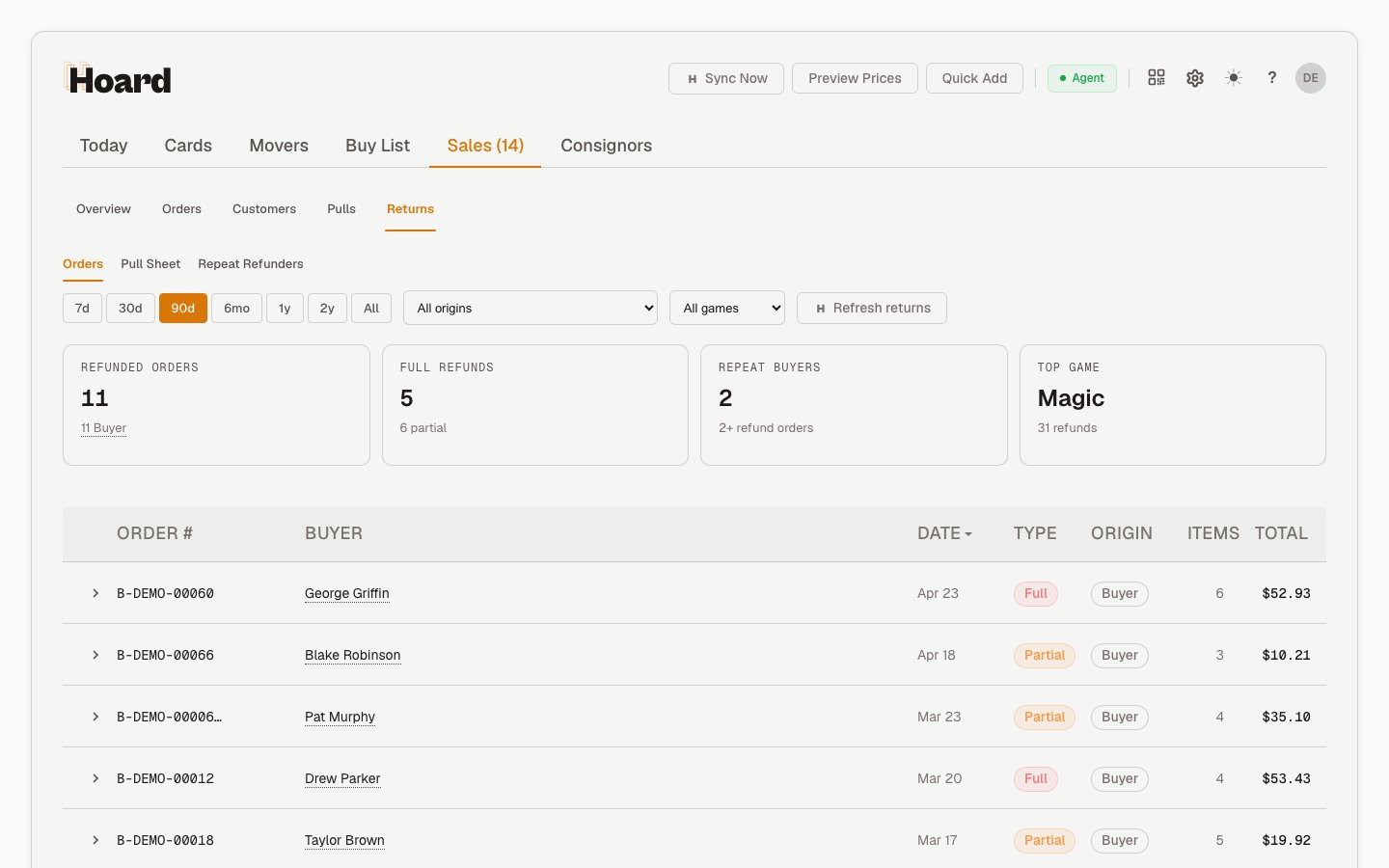
Metrics tracked
How sales data is collected
Hoard downloads TCGplayer’s Seller Sales Report CSV for each month:- Current month — refreshed every sync (month-to-date)
- Historical months — imported on demand from Settings → Sync → Import Historical Data
Sales chart
The chart shows a visual breakdown of sales over time, so you can spot trends in revenue, fees, refunds, and net income.Sales report import is non-fatal. If it fails, inventory sync still completes.