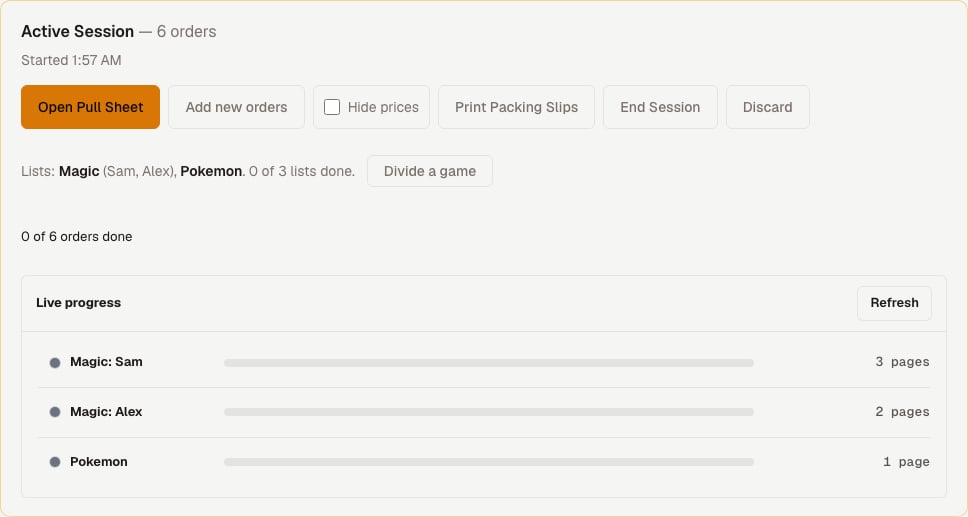
By game or by list
Pick By game, one order at a time when each person can own a game. Each puller takes one game and works through its orders, one order per page. This is the default and nothing about it changed. Pick One list per game, split between pullers for big pulls with several people. Each person walks their shelves once, one set per page, instead of going back and forth for each order.Turn it on
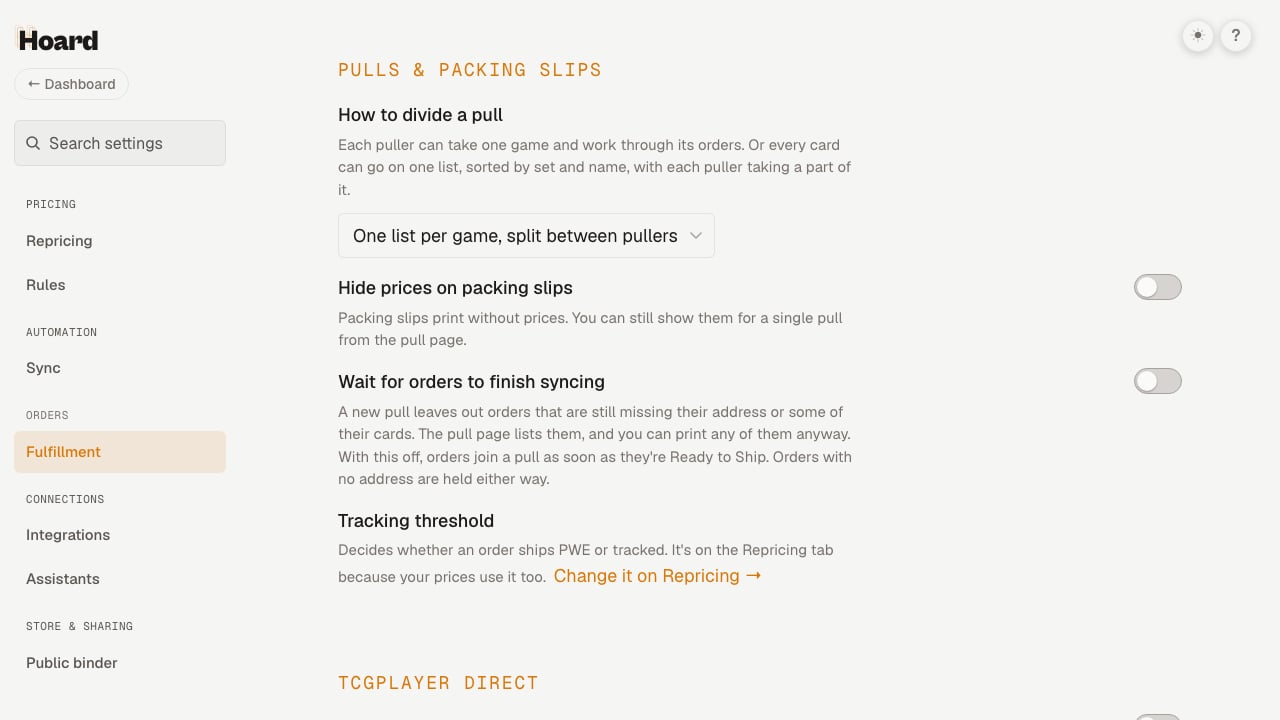
- Open Settings and click Fulfillment under Orders.
- Find How to divide a pull.
- Choose One list per game, split between pullers.
- Save.
Lists are made when the pull starts
Start a pull as usual from the dashboard’s Pulls tab. Hoard makes one list per game and gives each list its own QR code. No pullers are assigned yet. The simplest flow needs nothing else. Hand out a game’s QR code and that person pulls the whole game.Lists by game
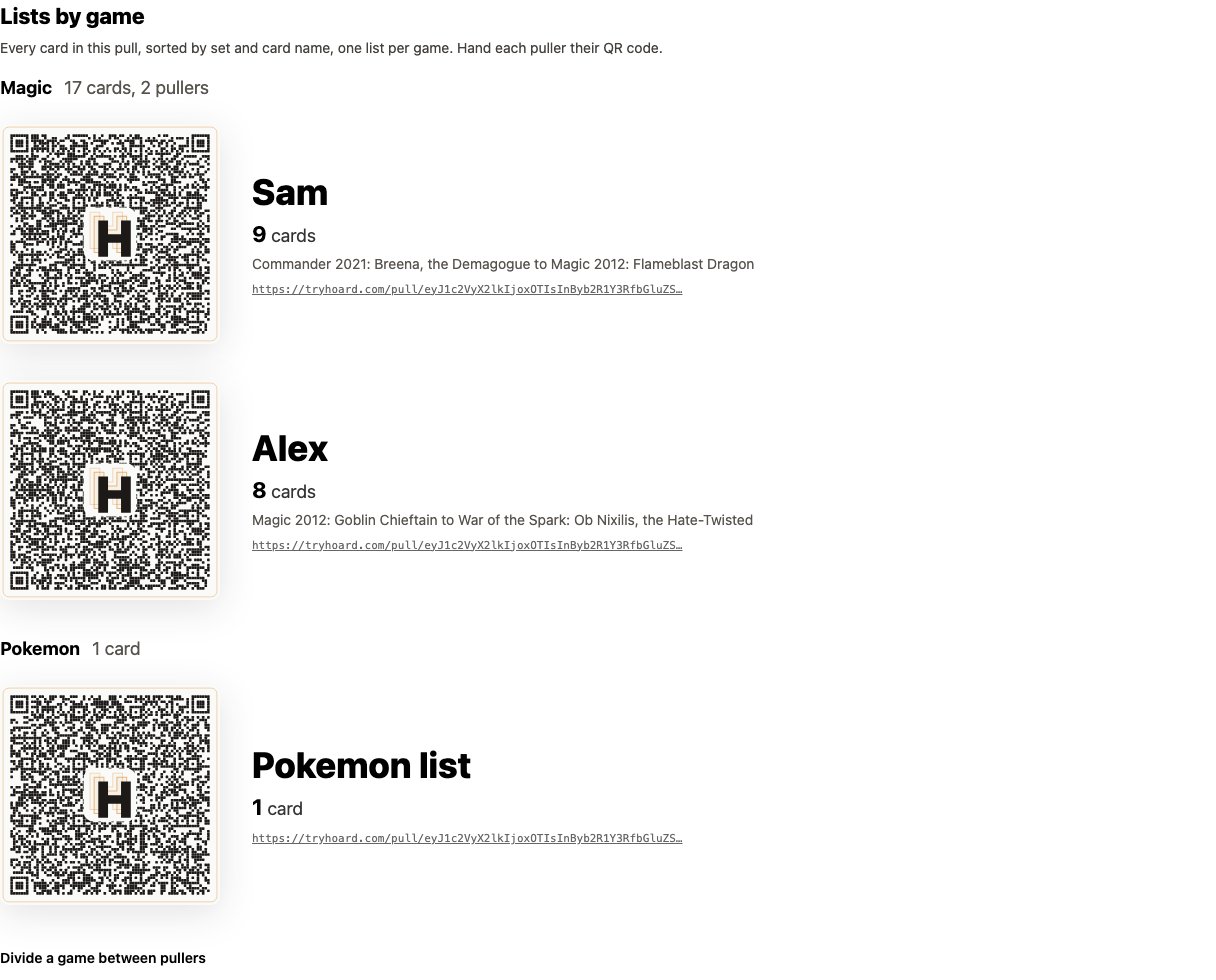
- A QR code
- The puller’s name, or “Pokemon list” when nobody is assigned
- The card count
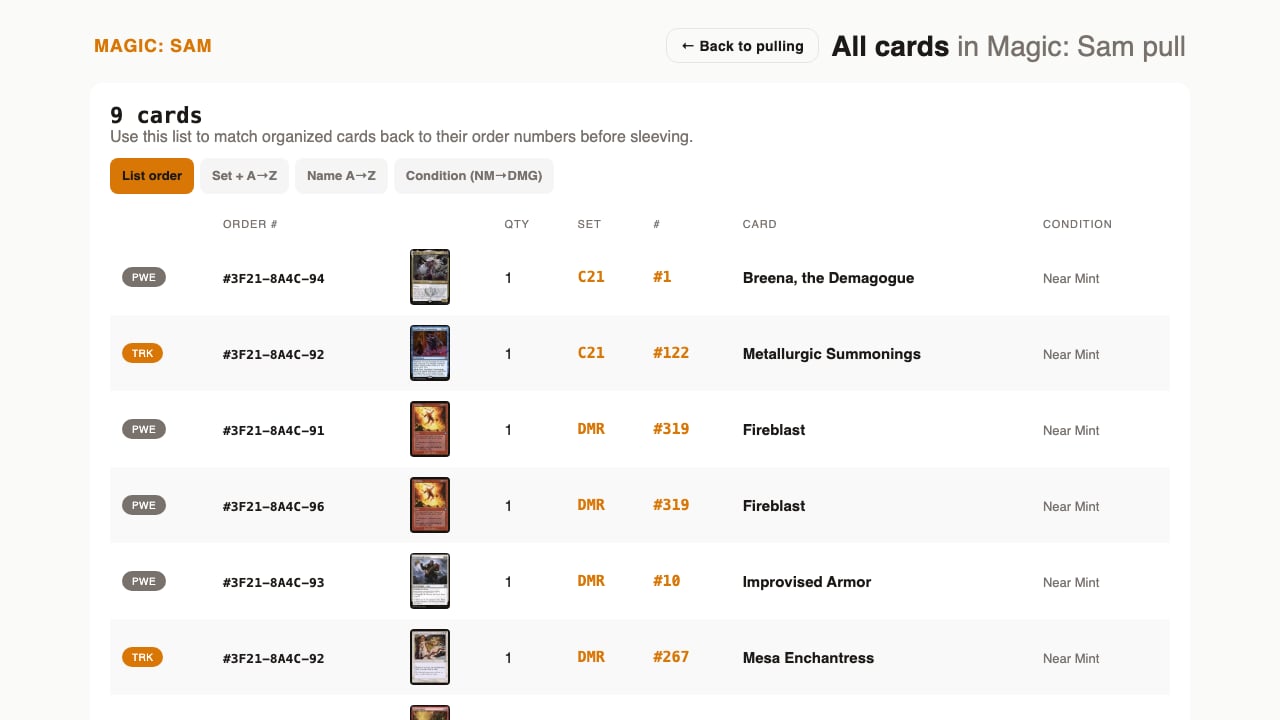
- The range the list covers, when the game is divided, such as “Commander 2021: Breena, the Demagogue to Magic 2012: Flameblast Dragon”
- A link
- Whether the list is started or done, and who pulled it
Divide a game between pullers
Divide a game when more than one person should pull it. The form sits collapsed under the lists. It opens by itself when new cards are waiting.- Open Divide a game between pullers.
- In the game you want to divide, tick the people from your team.
- Type any other names in Other pullers, separated by commas.
- Click Make the lists.
How the cut works
Hoard cuts by card count, not by line count. A line with four copies counts as four cards. Copies of the same card (same game, set and name) always stay with one puller. The parts can end up a little uneven because of this. Lines from canceled orders and fully refunded lines are left out.Empty lists
If a game has fewer cards than pullers, some pullers get an empty list. Remove a name and make the lists again to avoid this.Making the lists again
Making the lists again gives every list a new QR code. Old QR codes stop working and show “This pull was split again. Ask for your new link.” Hand out the new codes.What a puller sees
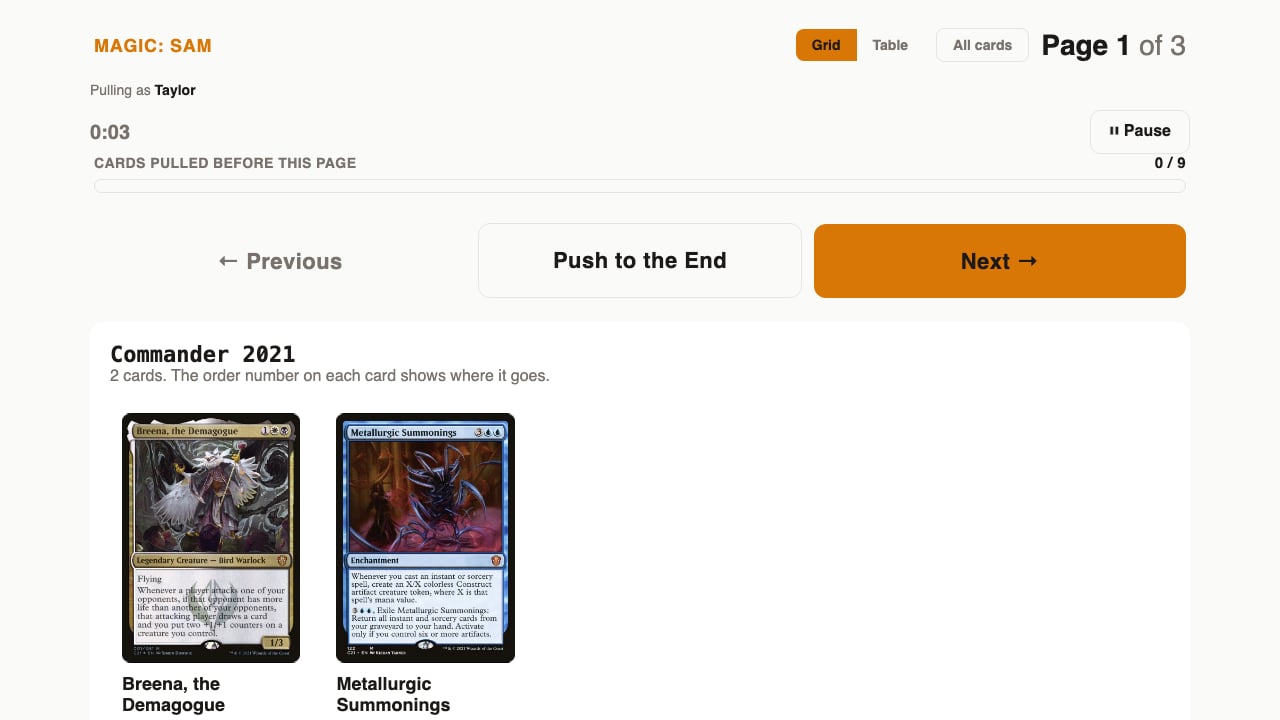
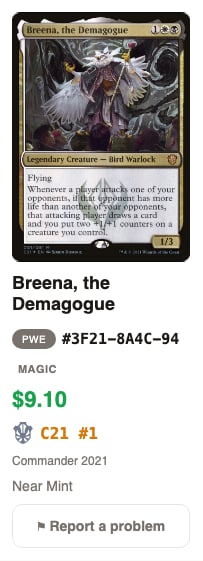
- Order refunded. Do not pull. The order was fully refunded.
- Order partly refunded. Check TCGplayer before packing. Part of the order was refunded.
- The review reason. An order flagged for review shows why.
Tools that work the same as a game sheet
These all work on a list sheet:- Grid and Table views, and card zoom
- The “Who’s pulling?” picker
- The timer, Pause and Resume
- Report a problem, with all reasons
- Add a card photo
- Resume where you left off
- Reopen after a list is done
The Pulls tab