

What gets imported
Hoard exports your order history from TCGplayer’s seller portal:- Order number and date
- Buyer name
- Order status
- Product amount, shipping, and total
Refresh orders during the day
From the dashboard, Refresh Orders queues a focused order refresh. It asks Hoard to fetch updated TCGplayer order data without running a full inventory sync. If an active Visual Pull session exists, the refresh does not add new orders to that pull. It only updates order data and flags already-pulled orders that now need review.Customers tab
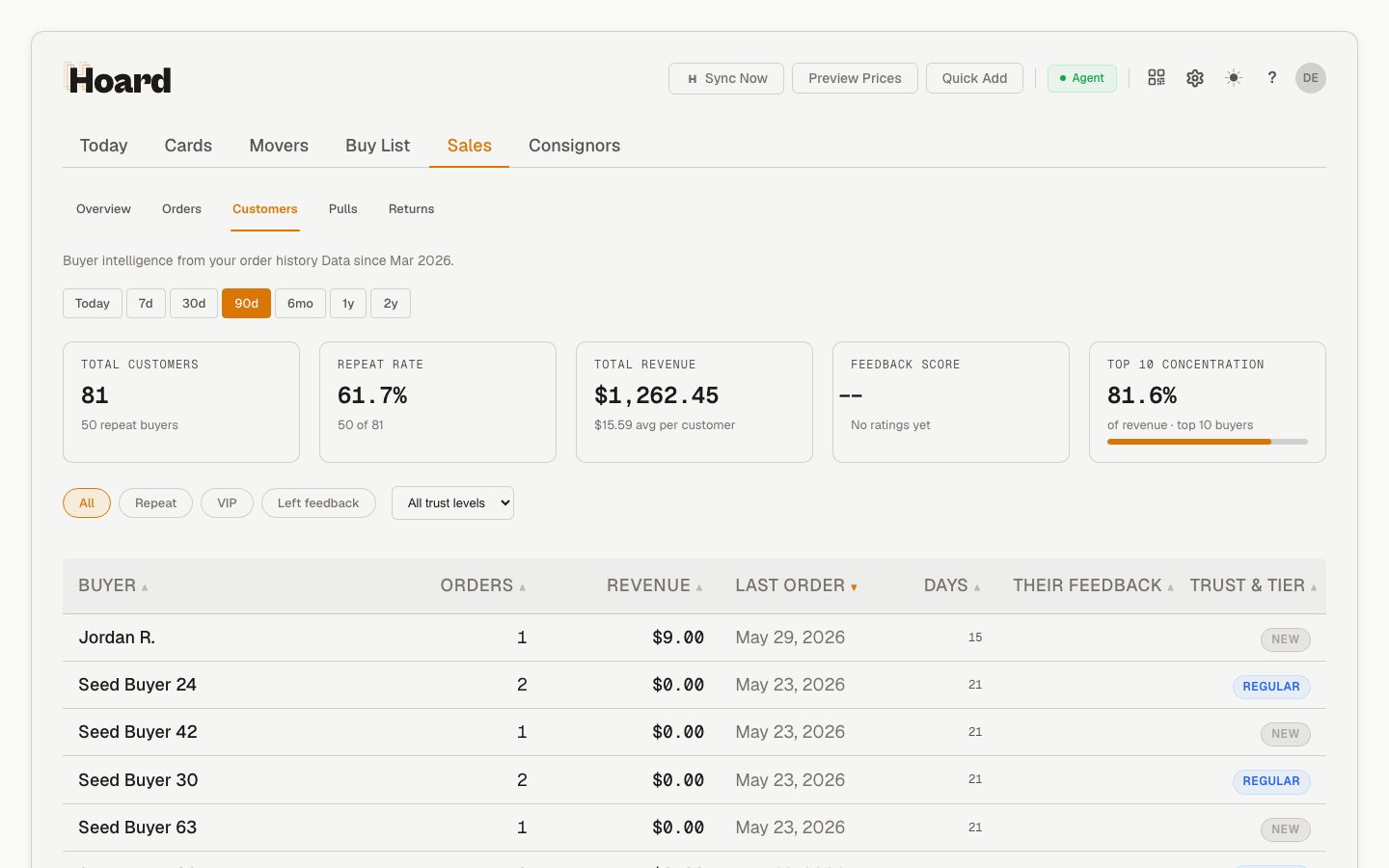
- Total unique buyers
- Repeat customers (buyers with 2+ orders)
- Customer lifetime value
- Order frequency per customer
- Notes (you can add notes to any customer)
Pull links
When an order belongs to a Visual Pull session, Hoard shows a pull link next to that order in manager-facing order rows. You can find it in:- Sales > Orders
- Customer order history
- Return order rows
Labels
The Orders tab toolbar has one Labels control for getting tracked orders to your label provider. The main button is the provider you use, and the caret next to it holds the rest:- ShippingEasy connected: the main button is Push to ShippingEasy. The menu has Export to PirateShip (CSV) and Download TCGplayer tracking file.
- Not connected: the main button is Export to PirateShip, and the menu offers Connect ShippingEasy.
Push to ShippingEasy
Select the orders you want with the row checkboxes and click Push to ShippingEasy. Hoard sends them into your ShippingEasy store in the order they appear in the table, then buy and print labels in ShippingEasy as usual. PWE orders are skipped, orders with a missing address are held, and orders that already shipped or already have tracking are left alone; the confirmation tells you how many landed in each group. If nothing is selected, it asks you to pick orders first. Each order arrives with an estimated package weight based on its card count, and refunded copies are left off. See Connect ShippingEasy for the weight table and the full walkthrough, including the pull-page buttons that push a whole game at a time. For how the two paths compare, which orders each one takes, and the package weight Hoard sends with them, see Shipping labels and tracking.Export to PirateShip
Export to PirateShip downloads a CSV of orders ready for labels. PirateShip’s bulk-upload field-mapper accepts it directly. What it does:- Includes only Tracked and Expedited orders. PWE orders are skipped — they don’t need PirateShip labels.
- Pre-classifies each order: Tracked orders ship as USPS Ground Advantage, Expedited as USPS Priority Mail.
- Fills in the Weight (oz) column with an estimated packed weight based on the card count: 4 oz under 20 cards, 8 oz for 20 to 39, 12 oz for 40 to 79, and 15.9 oz for 80 to 200 or any order of $1,000 or more. The weight is blank for an order over 200 cards or one with sealed product or accessories, so you can weigh it and enter the weight in PirateShip.
- Leaves out fully refunded orders. On a partly refunded order, the refunded copies don’t count toward the weight.
- Honors your current filters. If you’ve narrowed the Orders tab to “Today” or a specific status, the export contains only those orders.
- If you’ve multi-selected rows, the export uses your selection (with any PWE rows automatically dropped).
- US addresses only. Orders with non-US ZIP formats (Canadian, UK, etc.) are skipped from the export and need a manual label in PirateShip. Most TCGplayer sellers have international shipping turned off, so this rarely comes up.
Why track orders
Repeat buyers tend to drive a disproportionate share of revenue. Knowing who comes back helps you prioritize service and packing quality for the people who matter most. Order trends also show which days and months are busiest, and average order value gives you a read on whether your pricing is in the right range.Order import is non-fatal. If it fails during a sync, your inventory sync still completes. Orders will catch up on the next cycle.