

Step 1: Open the card on the Cards tab
Open your dashboard, go to the Cards tab, and open the card you’re dealing on. The detail panel slides in with the card image, its facts, and a navigation row.Step 2: Switch to the Comps tab
In the panel’s navigation row, tap Comps. This is the in-person negotiation view.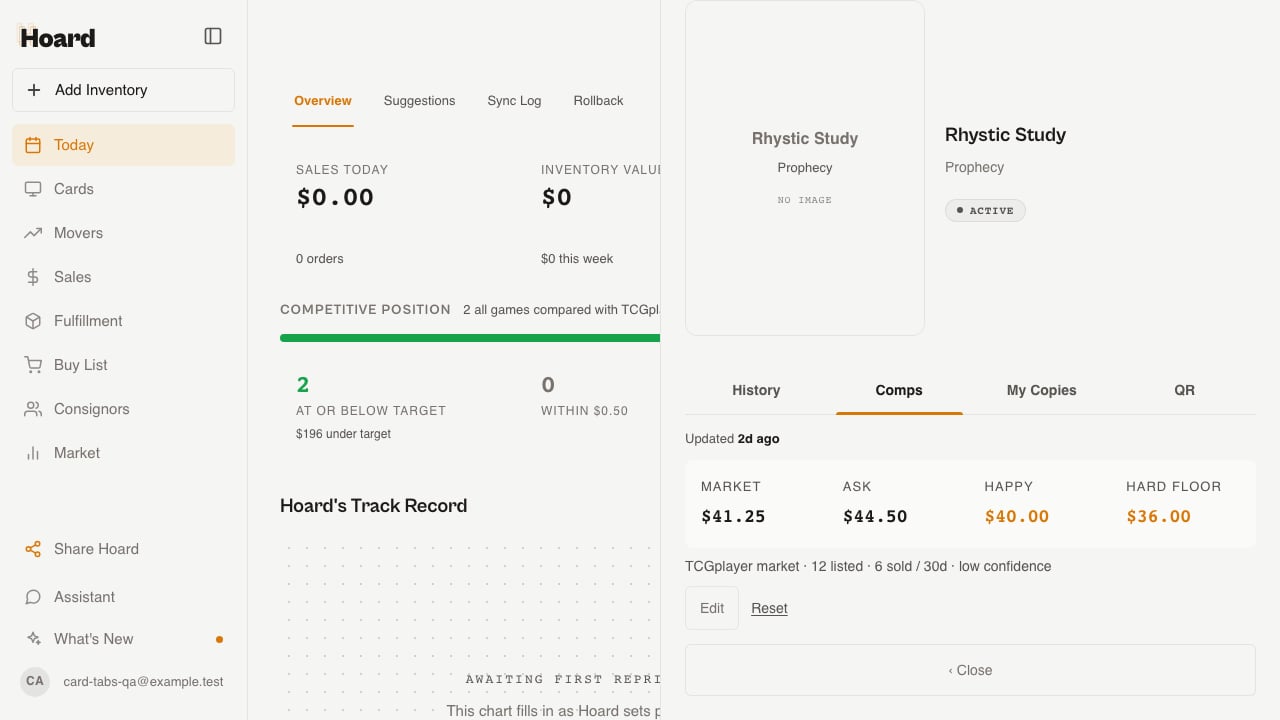
Step 3: Read the four numbers
Comps puts four numbers together for the deal:- Market — Hoard’s current estimate, preferring recent sales in the same condition.
- Ask — the opening number you quote.
- Happy — the price you’d feel good accepting.
- Hard floor — the number below which you walk away.