

What you will end up with
- Box numbering turned on, with a box size that matches your boxes
- Box and slot numbers on the stock you already own
- New cards numbered as you add them
- A pull sheet sorted in the order you walk the shelf
Step 1: Turn on box numbering
Go to Settings → Fulfillment and turn on Number boxes and slots under Chaos sort. Set Cards per box to the number of cards that fit in one of your boxes. Hoard opens the next box when this number of slots is used. Set First box number. If boxes 1 through 12 are already on your shelf, start at 13. For a new shelf, start at 1.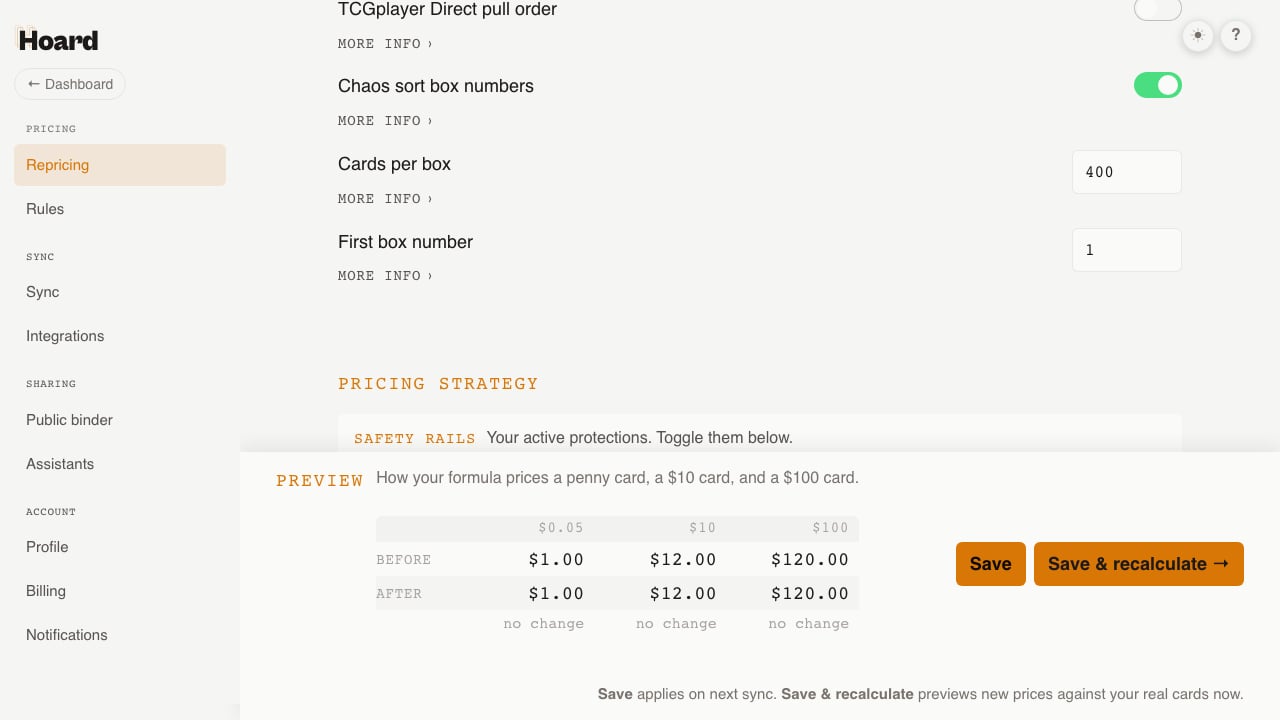
Step 2: Shelve the stock you already have
Your existing cards have no box numbers yet. In this step you walk the shelf once and Hoard records where each card goes. On the Cards tab, searchis:unshelved. Right after you turn on chaos sort, this is every card you own.
Sort the table in the order you will walk the shelf. If the shelf is alphabetical, sort by name. If it is grouped by set, sort by set. Hoard hands out slots in the table’s order, so the codes match the cards in your hand.
Scroll to the Export panel and click Shelve results.
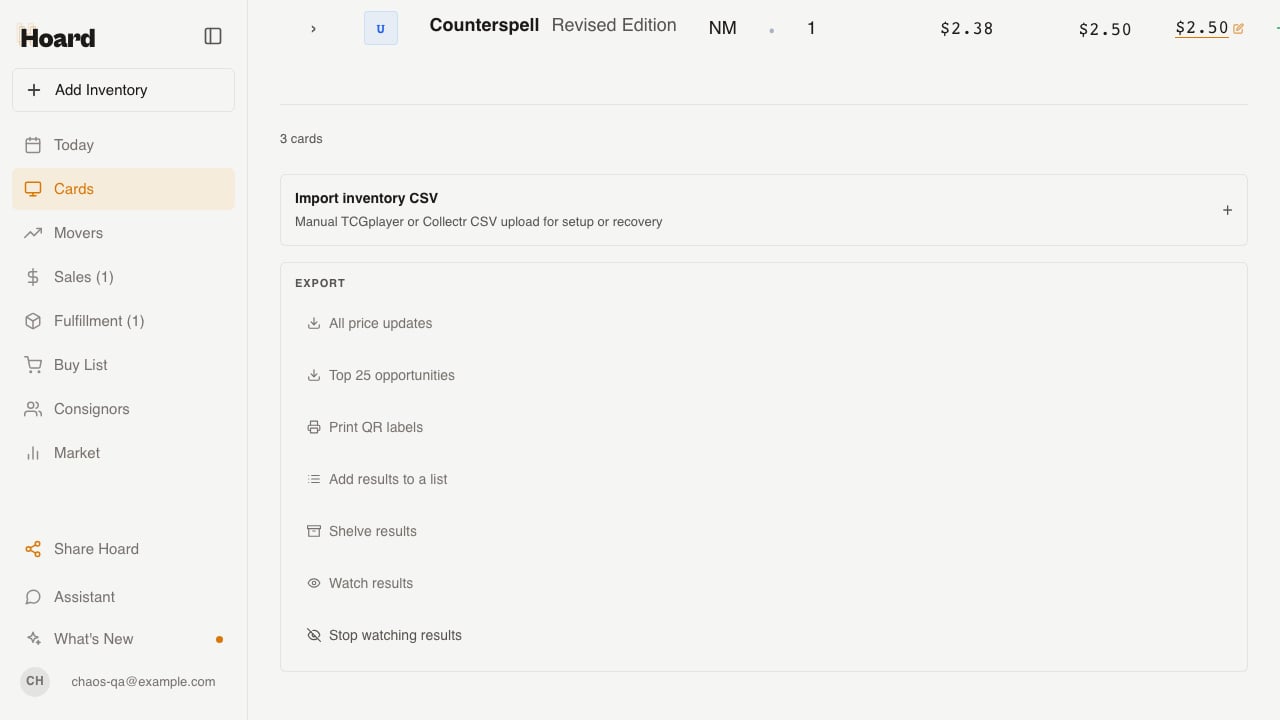
is:unshelved filter, so the next click continues from where the last one stopped.
Step 3: Add new cards with Quick Add
From now on, new cards get a number when you add them. Open Quick Add and pick the cards you have. With chaos sort on, a chip reads Box N, slot M of C. It shows the slot the next card will get, and it moves to the next box when the current box fills.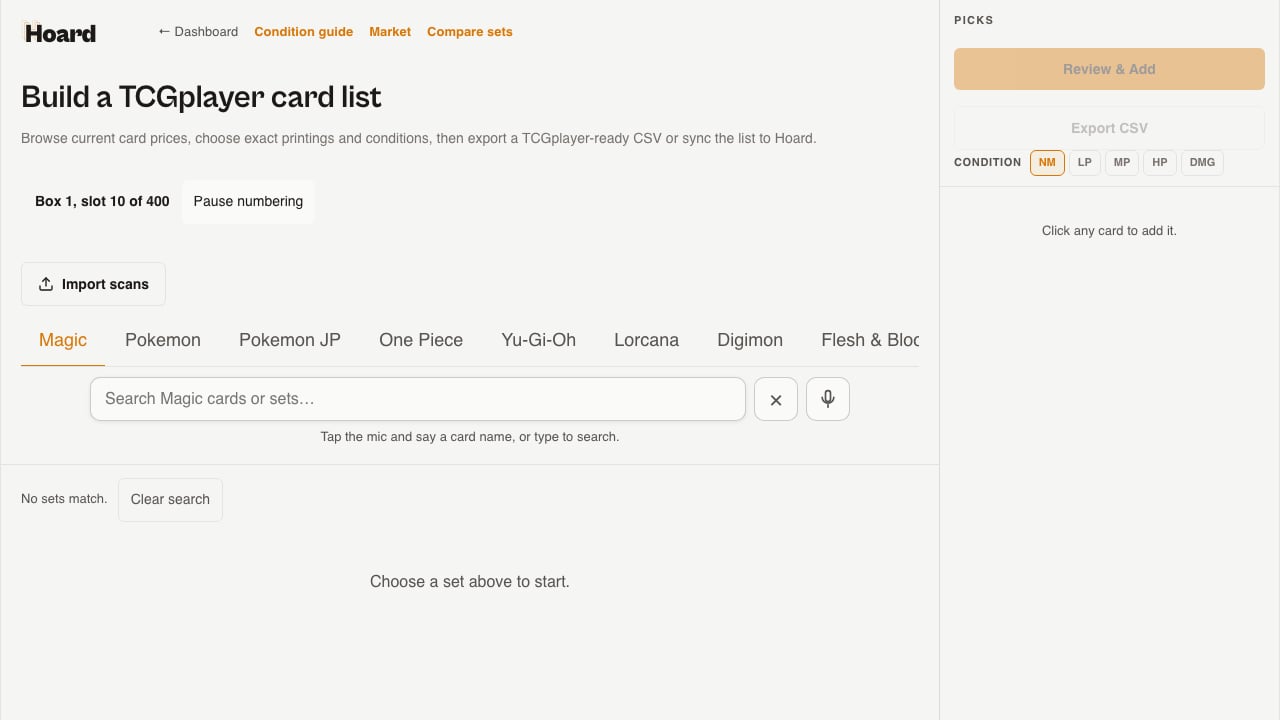
Step 4: Pull orders in box order
Once your cards have locations, the Visual Pull overview has a Box + slot sort. Select it. The sheet orders lines by box, then by slot, so a picker walks the shelf once in one direction.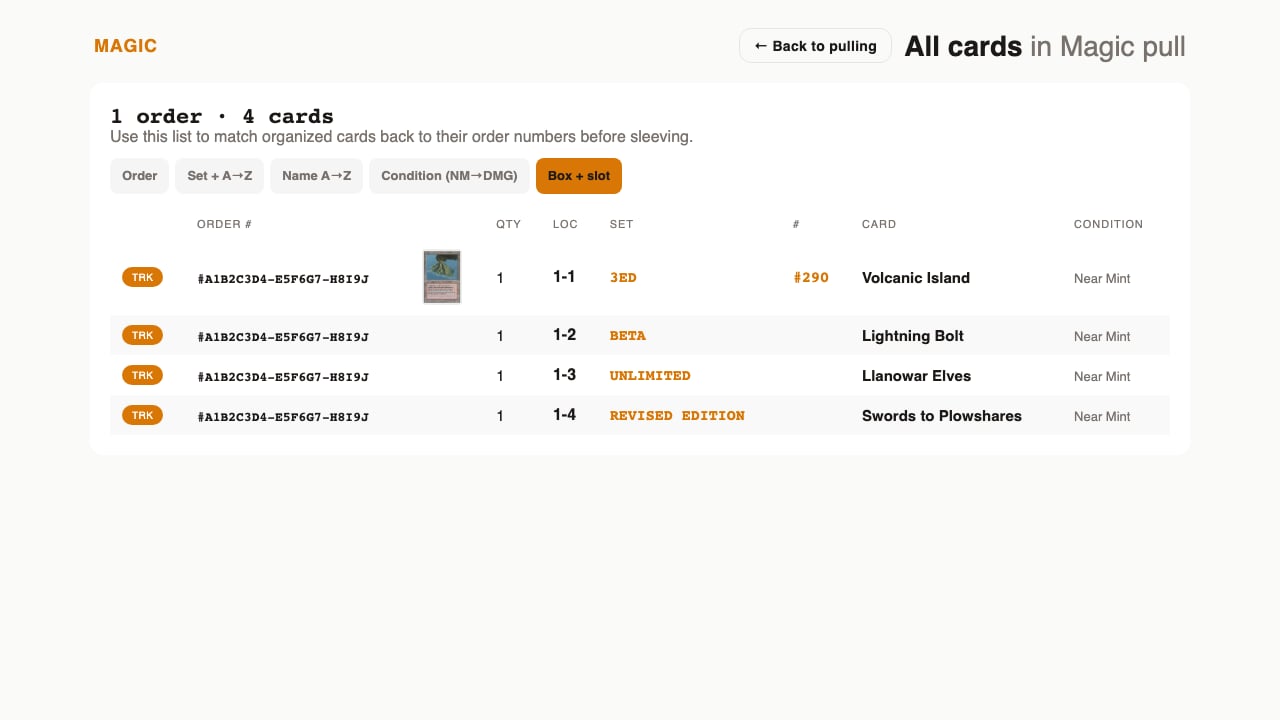
Step 5: Check for drift
Chaos sort works only while the shelf and the records agree. Searchis:location-drift on the Cards tab from time to time. It finds cards whose slots hold more copies than Hoard counts on hand. The usual causes are a copy that sold outside a Hoard pull and a slot that was never cleared.
For each card it finds, open the card, click My Copies, and either use Move to point the slot at where the card is, or use × to clear a slot that is empty. Hoard does not fix drift on its own.
If you are coming from another tool
If another system already gave your cards box and slot numbers, import them before you shelve anything by hand. The inventory CSV import reads a Location column, and also the headers Storage Location, Bin, Box, and Slot. It accepts5-234, and it accepts lettered boxes such as BOX-A-001.
The import places the matching copies at the locations in the file. Uploading the same file again changes nothing, because only unshelved copies are placed. If the old numbers are still correct, this replaces Step 2.
The Chaos Sort page lists every accepted format.