> ## Documentation Index
> Fetch the complete documentation index at: https://docs.tryhoard.com/llms.txt
> Use this file to discover all available pages before exploring further.
# Login & CAPTCHA
> How to handle TCGplayer login and CAPTCHA issues.
## First-time login
Hoard needs a one-time headed login to TCGplayer so you can solve the CAPTCHA. After that, the session cookies are saved and headless mode works.
If you use Hoard Desktop, you do not need to run a command. Start a sync and log into the browser window Hoard opens for you.
 This browser belongs to Hoard. Log into TCGplayer there, complete any CAPTCHA or two-factor prompt, then leave the browser open so Hoard can continue.
```bash theme={null}
HEADED=1 ./hoard-agent
```
## "Session expired" errors
TCGplayer sessions expire after a few days. When this happens you'll see a session/login error in the agent log, and Hoard needs you to sign in again.
Run Hoard Agent in headed mode again:
```bash theme={null}
HEADED=1 ./hoard-agent
```
Hoard Desktop users can instead open Hoard Desktop, click **Open Agent Logs** from the tray menu, and click **Sync Now** on that page. Hoard will open the TCGplayer browser again when it needs you to log in.
Solve the CAPTCHA, and headless mode works again.
## The browser opens but nothing happens
Hoard waits up to 120 seconds for you to complete the login. If the page is blank or stuck:
1. Wait for the page to fully load
2. Enter your TCGplayer email and password
3. Solve the CAPTCHA
4. Hoard detects the redirect to the dashboard and continues automatically
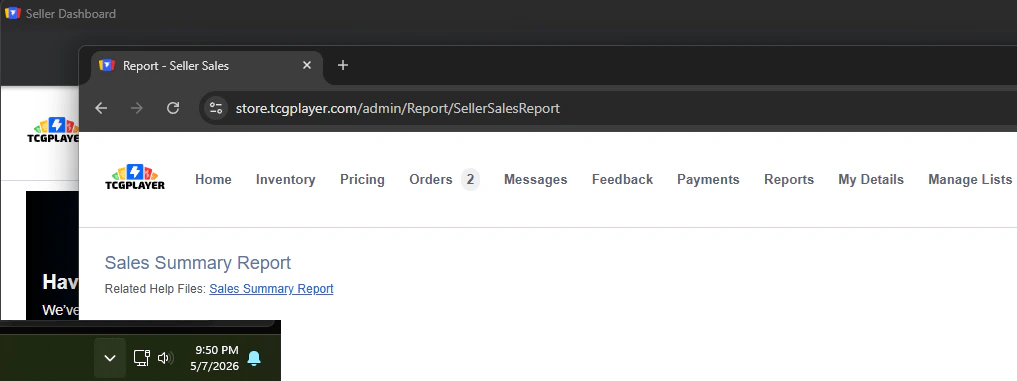
During the rest of the sync, you may see additional TCGplayer windows. Do not close, minimize, or click around in those windows while Hoard is working.
This browser belongs to Hoard. Log into TCGplayer there, complete any CAPTCHA or two-factor prompt, then leave the browser open so Hoard can continue.
```bash theme={null}
HEADED=1 ./hoard-agent
```
## "Session expired" errors
TCGplayer sessions expire after a few days. When this happens you'll see a session/login error in the agent log, and Hoard needs you to sign in again.
Run Hoard Agent in headed mode again:
```bash theme={null}
HEADED=1 ./hoard-agent
```
Hoard Desktop users can instead open Hoard Desktop, click **Open Agent Logs** from the tray menu, and click **Sync Now** on that page. Hoard will open the TCGplayer browser again when it needs you to log in.
Solve the CAPTCHA, and headless mode works again.
## The browser opens but nothing happens
Hoard waits up to 120 seconds for you to complete the login. If the page is blank or stuck:
1. Wait for the page to fully load
2. Enter your TCGplayer email and password
3. Solve the CAPTCHA
4. Hoard detects the redirect to the dashboard and continues automatically
During the rest of the sync, you may see additional TCGplayer windows. Do not close, minimize, or click around in those windows while Hoard is working.
 ## Login fails before reaching the dashboard
If Hoard never lands on the TCGplayer admin dashboard, you'll see a session/login error in the agent log. This means Hoard couldn't verify a valid TCGplayer session — the cookies are expired or invalid.
**Fix:** Run with `HEADED=1` and log in manually.
## CAPTCHA keeps appearing
TCGplayer uses CAPTCHAs to prevent automated access. Each time your session expires, you need to solve one in headed mode. This typically happens every few days.
There is no way to bypass the CAPTCHA automatically. This is by design, respecting TCGplayer's security measures.
## Two-factor authentication
If your TCGplayer account has 2FA enabled, you'll need to complete it during the headed login. Hoard waits for you to finish the full login flow before continuing.
## Login fails before reaching the dashboard
If Hoard never lands on the TCGplayer admin dashboard, you'll see a session/login error in the agent log. This means Hoard couldn't verify a valid TCGplayer session — the cookies are expired or invalid.
**Fix:** Run with `HEADED=1` and log in manually.
## CAPTCHA keeps appearing
TCGplayer uses CAPTCHAs to prevent automated access. Each time your session expires, you need to solve one in headed mode. This typically happens every few days.
There is no way to bypass the CAPTCHA automatically. This is by design, respecting TCGplayer's security measures.
## Two-factor authentication
If your TCGplayer account has 2FA enabled, you'll need to complete it during the headed login. Hoard waits for you to finish the full login flow before continuing.