> ## Documentation Index
> Fetch the complete documentation index at: https://docs.tryhoard.com/llms.txt
> Use this file to discover all available pages before exploring further.
# Sign in with Google or Discord
> Use Continue with Google or Continue with Discord to get onto Hoard with a pre-verified email, no password to remember.
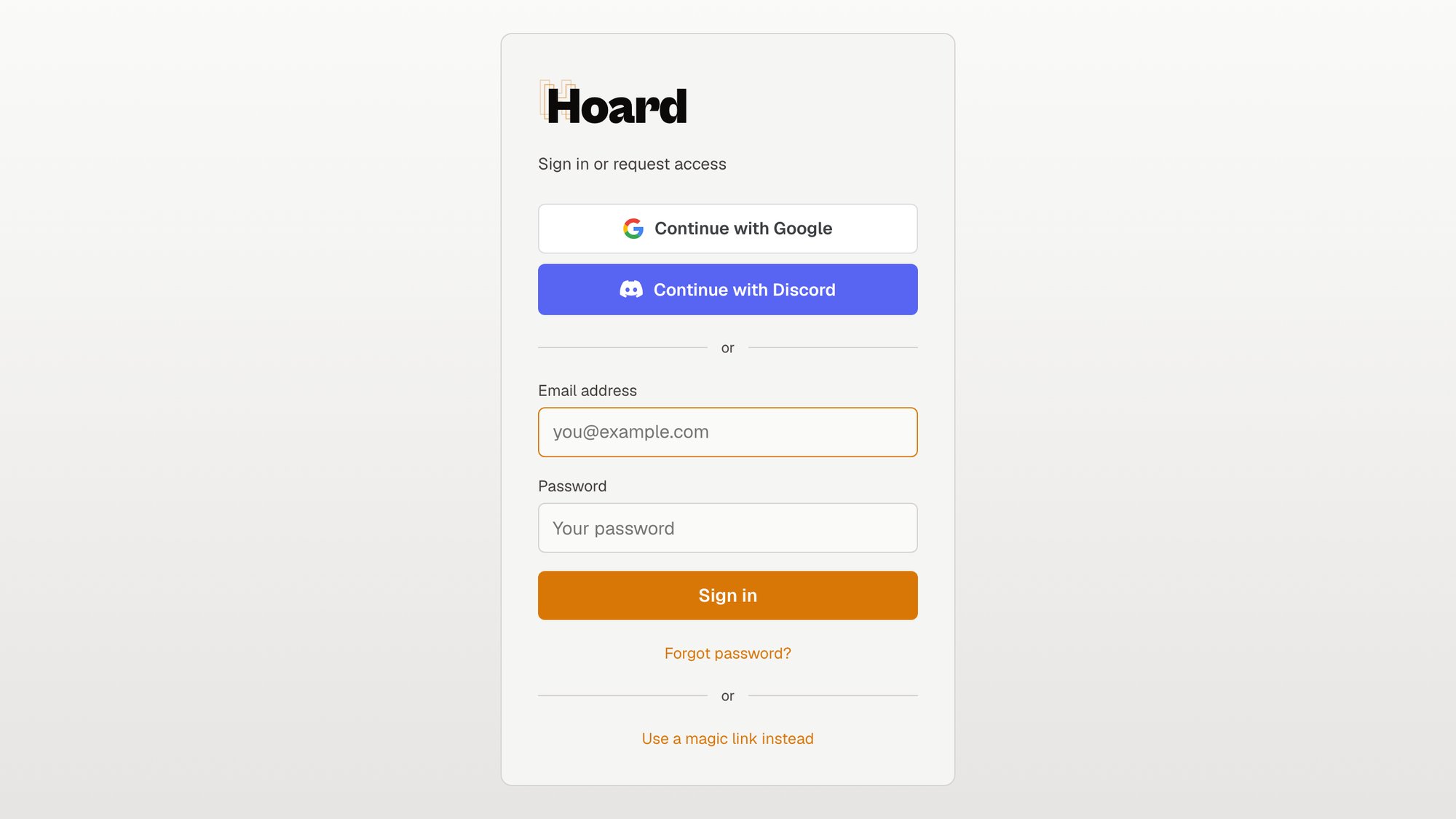
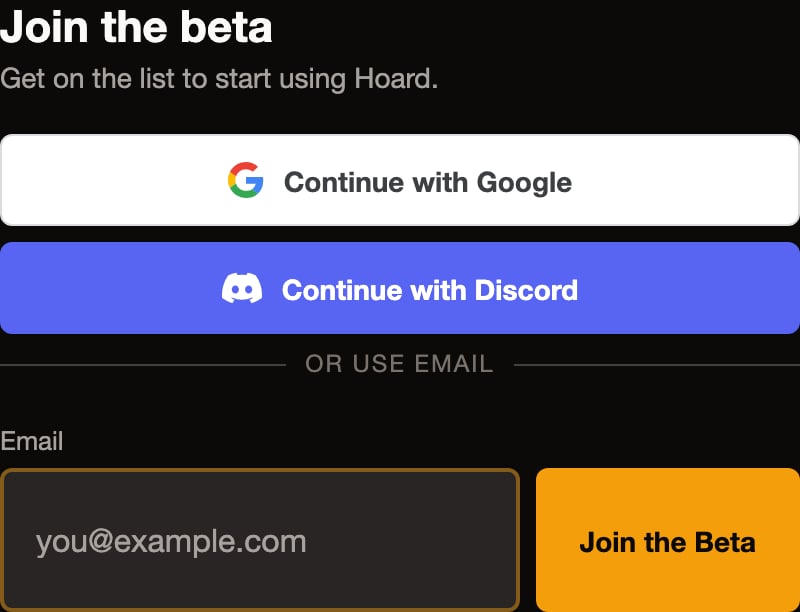
Hoard lets you sign in with the accounts you already have. On the sign-in page and on the public waitlist form you'll see a white **Continue with Google** button and a blurple **Continue with Discord** button. Clicking one hands the sign-in off to Google or Discord, they confirm it's really you, and Hoard takes it from there. You never type a Hoard password, and you never hand your Google or Discord password to us.
What happens after you click depends on who you are, so this page walks through each case. The short version: if you already have a Hoard account with that provider connected, you go straight to your dashboard. If you're new, the buttons put you on the beta waitlist with your email already verified, which is faster than typing it in by hand.
## Where the buttons are
The two buttons show up in two places:
* **The sign-in page at `/login`.** This is the card you land on when you go to sign in. It has the Hoard logo, a "Sign in or request access" heading, the Google and Discord buttons up top, an "or" divider, then the usual email and password fields with a **Sign in** button, "Forgot password?", and "Use a magic link instead."
 * **The waitlist form on the landing page.** When Hoard is invite-only, the public landing page has a "Join the beta" surface with the same two buttons, an "OR USE EMAIL" divider, and an email field with a **Join the Beta** button.
 If you don't see the buttons, that just means social sign-in isn't switched on for that provider at the moment. The email and magic-link options are always there.
## What happens when you click
There are three outcomes, and which one you get depends on whether Hoard already knows your email and whether you've connected a provider before.
### You already have an account with Google or Discord connected
If you've signed in with that provider before, or you connected it from your settings, clicking the button signs you straight in and drops you on your dashboard. Nothing to confirm, nothing to type. This is the everyday case once you're set up.
### You're brand new to Hoard
If the email coming back from Google or Discord is one we've never seen, clicking the button puts you on the **beta waitlist**, with your email already marked as verified.
This is the part worth understanding clearly: social sign-in does **not** create an account for a new email. Signing up for Hoard is invite-only right now, so the button can't hand a brand-new person a dashboard. What it does instead is get you onto the waitlist a step faster, because we trust the email Google or Discord just verified, so you skip the "check your inbox and click the link" round-trip.
After you click, you land on the waitlist "thanks" page and get an email with what happens next. When your invite comes up, you'll come back and sign in, and because the provider is now tied to your verified email, that later sign-in is the one-click case above.
### Your email already has a Hoard account, but you haven't connected that provider
If we already have an account on file for that email but you've never linked Google or Discord to it, we don't quietly connect them for you. Auto-linking by email is exactly how account-takeover happens, so we route you to **magic-link sign-in** instead. Sign in by email there, and once you're in, you can connect Google or Discord from your settings so it's one-click next time.
So the rule is: the first time, get into your existing account by email, then connect the provider deliberately from inside the app.
## A note on Google and verified emails
Google only proceeds when Google itself reports your email as verified. If for some reason Google hands back an address it hasn't verified, Hoard won't act on it; you'll be sent to magic-link sign-in to get in by email. This keeps an unverified address from ever standing in for a real one.
## Connecting a provider from settings
Once you're signed into your account, you can connect Google or Discord so future sign-ins are one click. Open your settings and use the connect option for the provider you want. This is the only way an account and a provider get linked, on purpose. The public buttons never mint a fresh link by themselves, an already-signed-in account has to ask for it.
After it's connected, going back to `/login` and clicking that provider's button signs you straight in.
## FAQ
**I clicked Continue with Google but I didn't get into the app. Why?**
Most likely you're brand new to Hoard, in which case the button put you on the waitlist rather than into a dashboard, because signups are invite-only right now. Check for the waitlist email with your next steps. The other possibility: you already have a Hoard account on that email but haven't connected Google to it yet, so we sent you to magic-link sign-in to get in by email first. Once you're in, connect Google from settings and the button will sign you straight in afterward.
**Does Hoard see my Google or Discord password?**
No. This is OAuth, the standard "sign in with" handoff. You enter your password with Google or Discord on their own page, they tell us only that you signed in successfully plus your verified email, and we never see or store the password itself.
**I'm already on the waitlist. Does clicking the button again do anything bad?**
No. If your email is already on the waitlist, clicking again just keeps you on it, it won't create a duplicate account or a duplicate entry.
**Why does the button put new people on the waitlist instead of just making an account?**
Because Hoard is invite-only at the moment. We're onboarding sellers in batches rather than opening the doors all at once. Social sign-in is a faster, pre-verified way onto the waitlist, not a side door around the invite. When your invite comes up you'll sign in normally, and because your provider is already tied to your verified email, that sign-in is one click.
**Can I still use email and password, or a magic link?**
Yes. The buttons are an option, not a replacement. The email and password fields and the "Use a magic link instead" link are right there on the same sign-in page.
If you don't see the buttons, that just means social sign-in isn't switched on for that provider at the moment. The email and magic-link options are always there.
## What happens when you click
There are three outcomes, and which one you get depends on whether Hoard already knows your email and whether you've connected a provider before.
### You already have an account with Google or Discord connected
If you've signed in with that provider before, or you connected it from your settings, clicking the button signs you straight in and drops you on your dashboard. Nothing to confirm, nothing to type. This is the everyday case once you're set up.
### You're brand new to Hoard
If the email coming back from Google or Discord is one we've never seen, clicking the button puts you on the **beta waitlist**, with your email already marked as verified.
This is the part worth understanding clearly: social sign-in does **not** create an account for a new email. Signing up for Hoard is invite-only right now, so the button can't hand a brand-new person a dashboard. What it does instead is get you onto the waitlist a step faster, because we trust the email Google or Discord just verified, so you skip the "check your inbox and click the link" round-trip.
After you click, you land on the waitlist "thanks" page and get an email with what happens next. When your invite comes up, you'll come back and sign in, and because the provider is now tied to your verified email, that later sign-in is the one-click case above.
### Your email already has a Hoard account, but you haven't connected that provider
If we already have an account on file for that email but you've never linked Google or Discord to it, we don't quietly connect them for you. Auto-linking by email is exactly how account-takeover happens, so we route you to **magic-link sign-in** instead. Sign in by email there, and once you're in, you can connect Google or Discord from your settings so it's one-click next time.
So the rule is: the first time, get into your existing account by email, then connect the provider deliberately from inside the app.
## A note on Google and verified emails
Google only proceeds when Google itself reports your email as verified. If for some reason Google hands back an address it hasn't verified, Hoard won't act on it; you'll be sent to magic-link sign-in to get in by email. This keeps an unverified address from ever standing in for a real one.
## Connecting a provider from settings
Once you're signed into your account, you can connect Google or Discord so future sign-ins are one click. Open your settings and use the connect option for the provider you want. This is the only way an account and a provider get linked, on purpose. The public buttons never mint a fresh link by themselves, an already-signed-in account has to ask for it.
After it's connected, going back to `/login` and clicking that provider's button signs you straight in.
## FAQ
**I clicked Continue with Google but I didn't get into the app. Why?**
Most likely you're brand new to Hoard, in which case the button put you on the waitlist rather than into a dashboard, because signups are invite-only right now. Check for the waitlist email with your next steps. The other possibility: you already have a Hoard account on that email but haven't connected Google to it yet, so we sent you to magic-link sign-in to get in by email first. Once you're in, connect Google from settings and the button will sign you straight in afterward.
**Does Hoard see my Google or Discord password?**
No. This is OAuth, the standard "sign in with" handoff. You enter your password with Google or Discord on their own page, they tell us only that you signed in successfully plus your verified email, and we never see or store the password itself.
**I'm already on the waitlist. Does clicking the button again do anything bad?**
No. If your email is already on the waitlist, clicking again just keeps you on it, it won't create a duplicate account or a duplicate entry.
**Why does the button put new people on the waitlist instead of just making an account?**
Because Hoard is invite-only at the moment. We're onboarding sellers in batches rather than opening the doors all at once. Social sign-in is a faster, pre-verified way onto the waitlist, not a side door around the invite. When your invite comes up you'll sign in normally, and because your provider is already tied to your verified email, that sign-in is one click.
**Can I still use email and password, or a magic link?**
Yes. The buttons are an option, not a replacement. The email and password fields and the "Use a magic link instead" link are right there on the same sign-in page.